


Rally TV Streaming and Live TV
2.9240.00 Reviews
App Specs
- Version
- 7.5.2.0
- Updated On
- License
- Free
- Downloads
- 1,000,000+
- Developer
- WRC Promoter GmbH
- Categories
- Sports
- Platform
- Android, iOS
Screenshots
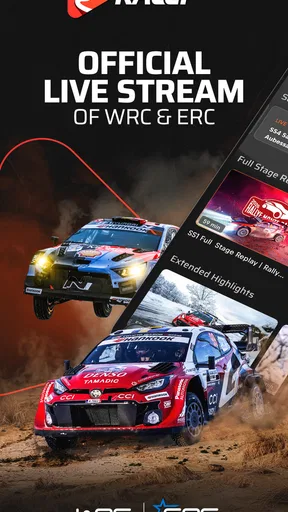
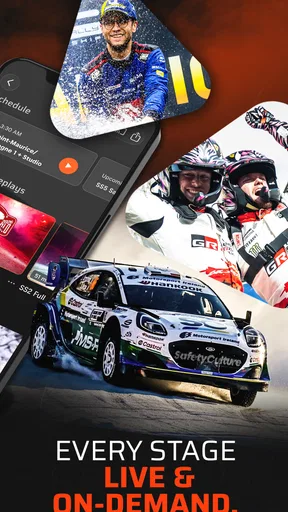
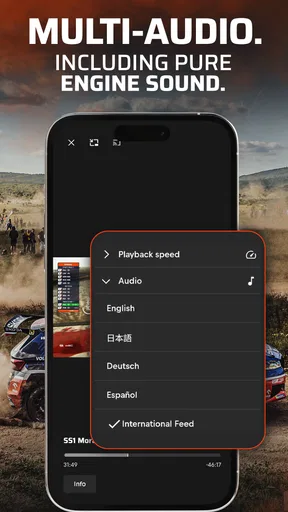
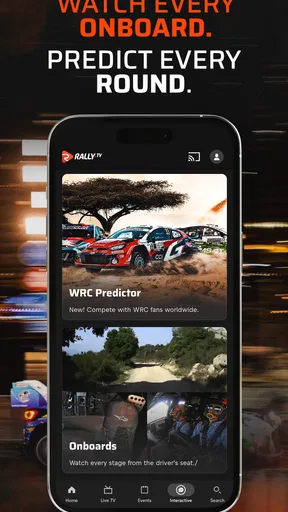

 Analysis by AppCompare
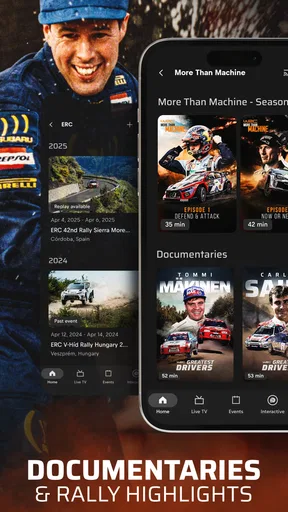
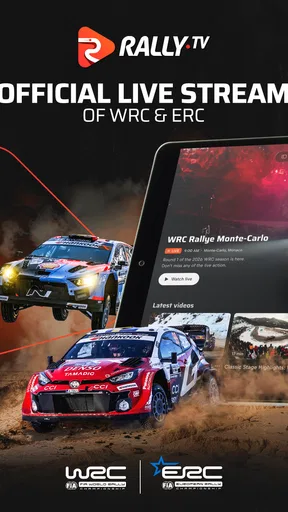
When a rally weekend lands on a busy day at home, I like having a way to catch the action later without asking everyone else to follow the same schedule. Rally TV Streaming and Live TV is built around rally coverage: live events, highlights, replays, and documentaries. That focus makes it a more useful pick for motorsport fans than a general entertainment app, though it also means it is not a replacement for a broad TV service.
A rally stream that can fit around the household
The easiest shared-use scenario is a fan watching a live stage when everyone else is occupied, then catching up on the parts they missed through highlights or replays. I would use it that way on a weekend when errands, meals, or other plans make it hard to sit down for an entire event. Rather than treating rally coverage like a programme that must be watched from start to finish, I can dip in when time allows and return for the moments I care about.
That flexibility is the real household advantage, not an assumption that every person in the home needs a separate profile or a particular set of family tools. If one person follows rally closely and others only want occasional viewing, it is worth agreeing on when a shared screen is available and who is signed in. I would not count on the app itself to organize household access; a simple conversation prevents the stream from becoming another source of confusion.
What I would check before settling in
Rally TV is free to install, and WRC Promoter GmbH develops it. It is a sports app rated for Everyone, with a 2.8 average from around 8,300 ratings and more than 500,000 installs. Those figures suggest a real audience, but the average rating is modest, so I would approach it with practical expectations rather than assume every viewing session will be smooth.
Before relying on it for a particular event, I would open the app ahead of time and check what is available to watch. That small habit matters more than it might with a general streaming service: a rally fan may be looking for a specific live event, replay, or documentary, not just something to put on in the background. Checking early also gives me time to decide whether the app suits that day’s plan instead of discovering the mismatch when everyone is ready to watch.
The app is free, but in-app purchases range from about $1.33 to $129.99 per item. I would treat that as a reason to read each purchase screen carefully, especially if a device is shared. A child or another household member should not be left to guess whether a button starts playback or begins a paid transaction. I would also keep expectations clear: free installation does not mean every piece of content necessarily comes without a charge.
Shared devices, age, and viewing boundaries
The Everyone age rating makes the app broadly approachable, but it does not replace a parent’s judgment about what a child should watch or spend. Rally coverage and behind-the-scenes material are not the same thing as a children’s entertainment library, so I would choose content together rather than assume the age label makes every programme suitable for every child. In a shared-device home, a quick check of the screen before handing over the phone is a sensible routine.
Worth Reading Before You Choose
Google Maps Gets You There, Until the Map and the Moment Disagree

Square Team Under Pressure: Can It Recover When Workflows Break?

Yandex Weather Makes Rain Forecasts Practical

McDonald’s App Builds Community Through Shared Routines, Not Social Feeds

Royal Kingdom Makes Match-Three Feel Like Progress

EA SPORTS FC Mobile 26 Is a Bigger Football Game, but It Takes Time
I would also be careful about account boundaries. If several people use one device, decide whose account is active and who is allowed to make purchases; do not assume separate profiles, parental controls, or purchase restrictions are available. That is a practical limit, not a reason to avoid the app. It simply means household coordination should happen outside the app unless the options visible on your own device clearly support something more specific.
For a couple or family with one keen rally follower, the app can still work well as a shared viewing choice. One person can pick a live event or replay, while the others decide whether to join for a stage or a documentary. If tastes differ sharply, though, a broad streaming service will be more accommodating for a shared evening because Rally TV’s purpose is specific rather than general.
Where it fits among sports and streaming options
Compared with a general video platform, Rally TV has a narrower job: it is for people who want rally-related live coverage and on-demand material in one place. That focus can save a fan from searching across unrelated entertainment, but it is a drawback if you expect movies, news, or a wide mix of sports. I would keep it as a specialist option rather than make it the only streaming app in the household.
Compared with watching occasional clips on social platforms, a dedicated rally service is a better match when I want to follow an event or choose a replay, rather than rely on whatever short video happens to appear in a feed. The trade-off is that casual viewers may not need a dedicated app at all. If you only watch a few highlights now and then, free clips elsewhere may be enough; if you want to return to rally coverage more deliberately, this app is easier to justify.
One useful viewing habit is to decide in advance whether the day calls for live coverage or a replay. Live viewing suits fans who want to follow the event as it happens, while highlights and replays are more practical when the household schedule is unpredictable. Documentaries offer a different reason to open the app when there is no live event to follow. Thinking in those three modes helps me avoid opening a rally app without a clear idea of what I want from it.
First Impressions
Hey there! So, I’ve been diving into the world of streaming apps recently, and I stumbled upon Rally TV Streaming and Live TV. If you're like me and always on the lookout for something new to binge on, this app might just pique your interest. Let me walk you through my experience with it!
Right off the bat, the installation was a breeze. I downloaded it from the App Store, and in no time, I was exploring its sleek interface. The app’s layout is pretty intuitive, which is always a plus. You know how some apps have you hunting for that one specific show or channel? Not here. Everything is neatly organized, making navigation a piece of cake.
Exploring the Features
Once I got into the app, I was pleasantly surprised by the variety of content available. Whether you're into sports, movies, or live TV, Rally TV has got you covered. Let me break down some of the features that stood out to me:
- Vast Content Library: From the latest blockbusters to timeless classics, there’s something for everyone. I spent hours just scrolling and adding shows to my watchlist.
- Live TV Channels: This is a big one! The app offers a comprehensive list of live channels, perfect for those who want to catch up on live sports or news.
- Personalized Recommendations: The app learns from your viewing habits and suggests content tailored to your tastes. It’s like having a friend who just gets your movie moods.
For a rally fan, I would make the most of the live, replay, and highlight choices by using them for different situations rather than expecting one format to do everything. A live event is the choice when timing matters; a replay is useful when a household plan interrupts the day; and a highlight package is the quickest way to catch the main action. That distinction is especially helpful if you are introducing someone new to rally: start with a shorter selection, then decide together whether a full event is worth the time.
User Experience
Now, let's talk about performance. The streaming quality is top-notch—no annoying buffering or lagging, even during peak hours. I was impressed by how seamlessly it played high-definition content. Plus, it allows for multiple profiles, so everyone in the house can have their own personalized experience.
Another cool feature is the offline viewing option. You can download content and watch it later, which is super handy for those long commutes or flights. Just make sure you have enough storage space on your device!
For an everyday routine, I would check the available content before leaving home instead of counting on a particular programme being ready at the moment I need it. A commute or flight is a good reason to plan ahead if offline viewing is available in the version you are using, but I would test that workflow with a short item before depending on it for a long trip. That way, I can see how the app behaves on my device and keep enough storage free without making assumptions about every title.
Rally TV is currently at version 7.2.0.5 and requires Android 7.1 or later. If you are installing it on an older phone or a device used by several people, checking that it runs properly before an event is a sensible step. A quick test at home is less frustrating than troubleshooting while others are waiting to watch.
Subscription Plans
Alright, let’s get into the nitty-gritty: pricing. Rally TV offers various subscription plans, so you can choose one that fits your needs and budget. There’s also a free trial period, which I highly recommend taking advantage of. It’s a great way to explore the app without any commitment.
One thing to note is that while the basic plan offers a lot, some premium channels and features require an upgrade. However, for the sheer amount of content available, I’d say it’s worth checking out the premium options.
I would be cautious about treating those subscription details as a reason to commit before checking the current options shown in the app. The important question is whether the content you actually want to watch is accessible on the terms presented to you. If you only tune in occasionally, compare the cost of any purchase with how often you expect to use it; a dedicated service makes more sense for a regular follower than for someone who only wants one highlight every few months.
Final Thoughts
After spending some quality time with Rally TV, I can confidently say that it’s a fantastic addition to the streaming world. Whether you’re a casual viewer or a binge-watcher, there’s plenty to keep you entertained. The combination of a vast content library, live TV options, and a user-friendly interface makes it a solid choice for anyone looking to enhance their streaming experience.
So, if you're looking to shake up your streaming game, give it a shot. Who knows, you might just find your next favorite show!
My household verdict is more specific: I would recommend it to someone who actively follows rally and wants a dedicated place to watch live events, revisit coverage, or explore documentaries. I would skip it as a main family streaming choice if the household wants a wide spread of genres, or if nobody follows rally enough to open it regularly. Its free entry point makes trying it straightforward, but the modest rating and paid items are good reasons to test the experience carefully and keep purchase decisions deliberate.
Pros
- Wide range of live TV channels available.
- User-friendly interface with easy navigation.
- High-quality streaming with minimal buffering.
- Customizable viewing experience with settings.
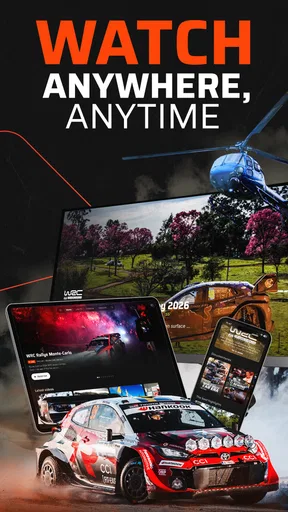
- Compatible with multiple devices and platforms.
Cons
- Requires a stable internet connection.
- Limited offline viewing options.
- Subscription cost might be high for some.
- Occasional ads even in paid version.
- Regional restrictions on certain content.
FAQs for Rally TV Streaming and Live TV
What is Rally TV Streaming and Live TV?
Rally TV Streaming and Live TV is a versatile application that provides users with access to a wide range of live television channels and on-demand streaming content. It offers a variety of genres, including sports, news, entertainment, and more, catering to diverse viewing preferences. Available on both Android and iOS platforms, it aims to bring a comprehensive viewing experience to your mobile device.
Is Rally TV Streaming and Live TV free to use?
Rally TV Streaming and Live TV offers both free and premium subscription options. The free version includes access to a selection of channels and content, but to enjoy the full range of features, including exclusive channels and ad-free viewing, a premium subscription is recommended. Pricing details can be found within the app or on the official website.
What are the main features of Rally TV Streaming and Live TV?
Key features of Rally TV Streaming and Live TV include a user-friendly interface, high-definition streaming, and a customizable channel lineup. The app also supports offline viewing for select content, multi-device synchronization, and parental controls, ensuring a safe and personalized experience for all users. Regular updates ensure access to the latest content and improved functionality.
How can I troubleshoot streaming issues on Rally TV Streaming and Live TV?
If you experience streaming issues, first check your internet connection to ensure it is stable and meets the app's minimum requirements. Restart the app or your device to resolve temporary glitches. Clearing the app's cache or updating to the latest version can also help. If problems persist, contact customer support through the app for further assistance.
Is Rally TV Streaming and Live TV available worldwide?
Rally TV Streaming and Live TV is available in many countries, but content availability may vary depending on regional licensing agreements. Users are encouraged to check the app store for their region to confirm availability. The app developers continually work to expand access, so keep an eye out for updates regarding international availability.


